URL Parameters vs Query Strings in Express.js
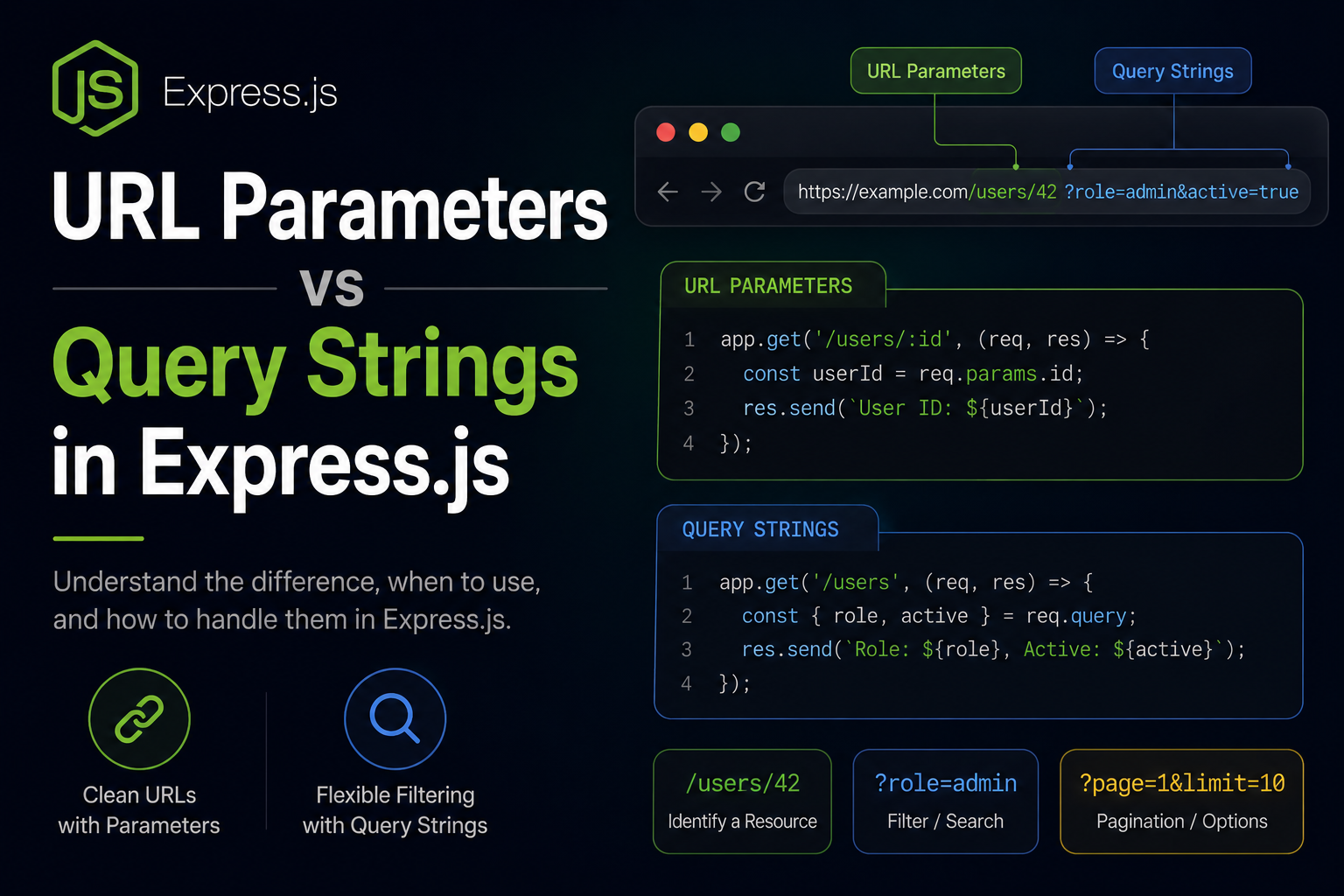
When you're building an API with Express, one of the first questions that comes up is how does the client tell the server which resource they want, or how they want it ?
The answer almost always involves either URL parameters or query strings. These are two different ways of passing information through a URL, and they're used for different purposes. A lot of beginners use them interchangeably and run into confusing bugs. Let me clear it up.
What Does a URL Actually Contain?
Before breaking them down separately, here's a URL with both parts visible:
https://api.example.com/users/42/posts?sort=latest&limit=10
Everything before the ? is the path. Everything after is the query string. Two different parts, two different purposes.
URL Parameters
URL parameters also called route parameters or path parameters are part of the URL path itself. They identify which specific resource you're talking about.
/users/42
/users/105
/users/7
That 42, 105, 7 those are URL parameters. They're dynamic segments of the path. They point to a specific thing.
In Express, you define them with a colon:
app.get("/users/:id", (req, res) => {
  const { id } = req.params
  res.json({ userId: id })
})
The :id tells Express this part of the path is dynamic, capture whatever's there and put it in req.params.id.
Hit /users/42 and req.params.id is "42". Hit /users/105 and it's "105". The route pattern stays the same, the value changes.
You can have multiple parameters in one route:
app.get("/users/:userId/posts/:postId", (req, res) => {
  const { userId, postId } = req.params
  res.json({ userId, postId })
})
A request to /users/42/posts/7 gives you req.params.userId === "42" and req.params.postId === "7".
Query Strings
Query strings come after the ? in a URL. They're key-value pairs separated by &.
/users?role=admin
/posts?sort=latest&limit=10&page=2
/products?category=shoes&minPrice=500&maxPrice=2000
Query strings don't identify a specific resource they describe how you want the resource. Filter by this, sort by that, give me this many results. They're modifiers.
In Express, they live on req.query:
app.get("/users", (req, res) => {
  const { role, limit, page } = req.query
  res.json({ role, limit, page })
})
A request to /users?role=admin&limit=20&page=1 gives you:
req.query.role  // "admin"
req.query.limit // "20"
req.query.page  // "1"
No special route syntax needed. Express picks up whatever query strings are in the URL automatically.
One thing to keep in mind everything in req.params and req.query comes in as a string. If you need a number, convert it:
const limit = parseInt(req.query.limit) || 10;
const page = parseInt(req.query.page) || 1;
Side by Side in Express
Here's both used together in one route fetch a specific user's posts, with filtering and pagination:
app.get("/users/:id/posts", (req, res) => {
  const { id } = req.params;           // which user
  const { sort, limit, page } = req.query; // how to fetch their posts

  res.json({
    userId: id,
    sort: sort || "latest",
    limit: parseInt(limit) || 10,
    page: parseInt(page) || 1
  });
});
Request: GET /users/42/posts?sort=oldest&limit=5&page=2
Response:
{
  "userId": "42",
  "sort": "oldest",
  "limit": 5,
  "page": 2
}
id comes from req.params it identifies the user. Sort, limit, and page come from req.query they shape the result.
The Real Difference Identity vs Behavior
Here's the mental model that makes this stick:
URL parameters answer: WHICH one? Query strings answer: HOW do you want it?
Some examples that make this concrete:
The specific resource parameter. The behavior or filter query string.
When to Use Which
Use URL parameters when:
The value is required to identify the resource. Without it, the request makes no sense. You can't do GET /users/ and expect a meaningful response which user? The ID is mandatory, structural, part of the resource identity.
Use query strings when:
The values are optional or act as modifiers. The route works without them they just change what you get back. A request to /posts without any query strings is still valid. Adding ?sort=latest&limit=5 just refines the response.
Search queries are always query strings ?q=javascript not /search/javascript. Because "javascript" isn't identifying a resource, it's a parameter for a search operation.
Optional URL Parameters
Sometimes you want a URL parameter that's not always required. Express handles this with a ? at the end of the param name:
app.get("/users/:id?", (req, res) => {
  const { id } = req.params;

  if (id) {
    res.json({ message: `Fetching user ${id}` });
  } else {
    res.json({ message: "Fetching all users" });
  }
});
Now both /users and /users/42 hit this route. id is either there or undefined. Honestly though for most REST APIs, it's cleaner to just have two separate routes:
app.get("/users", getAllUsers);
app.get("/users/:id", getOneUser);
Clearer intent, cleaner handlers.
Defaults for Query Strings
Since query strings are optional, always handle the case where they're missing:
app.get("/posts", (req, res) => {
  const sort = req.query.sort || "latest";
  const limit = parseInt(req.query.limit) || 10;
  const page = parseInt(req.query.page) || 1;

  res.json({
    message: `Fetching posts`,
    sort,
    limit,
    page
  });
});
If no query strings come in, defaults kick in. Client doesn't have to send them, server doesn't break without them.
Once this distinction clicks, your routes start feeling more intentional. URL parameters for identity this specific user, this specific post. Query strings for behavior filtered like this, sorted like that, paginated here.
You'll see this pattern in every API you work with. GitHub's API uses /repos/:owner/:repo to identify a repo and ?sort=stars&per_page=30 to shape the results. Same idea everywhere. Get this right in your own APIs and they'll feel natural to anyone who uses them.


